
A useful AI manhua character template separates story identity, fixed appearance, shot direction, and review notes. That lets you change a scene without rewriting the character and gives collaborators a clear way to find the current approved reference. You can copy the fields below or download the editable Markdown template without signing in.
The example uses Lin Lan, an original adult investigator searching for a missing cassette. It is intended for image preparation and still panels, not a video, voice, or lip-sync project file. A completed brief describes your target; it does not make every written constraint an automatic model guarantee.
What belongs in an AI manhua character template?
Include a character identifier, story function, visible identity, outfit versions, prop rules, reference list, shot prompt, and acceptance record. These fields serve different jobs. Story function informs acting, visible identity informs recognition, and versions tell the team which files can actually be used.
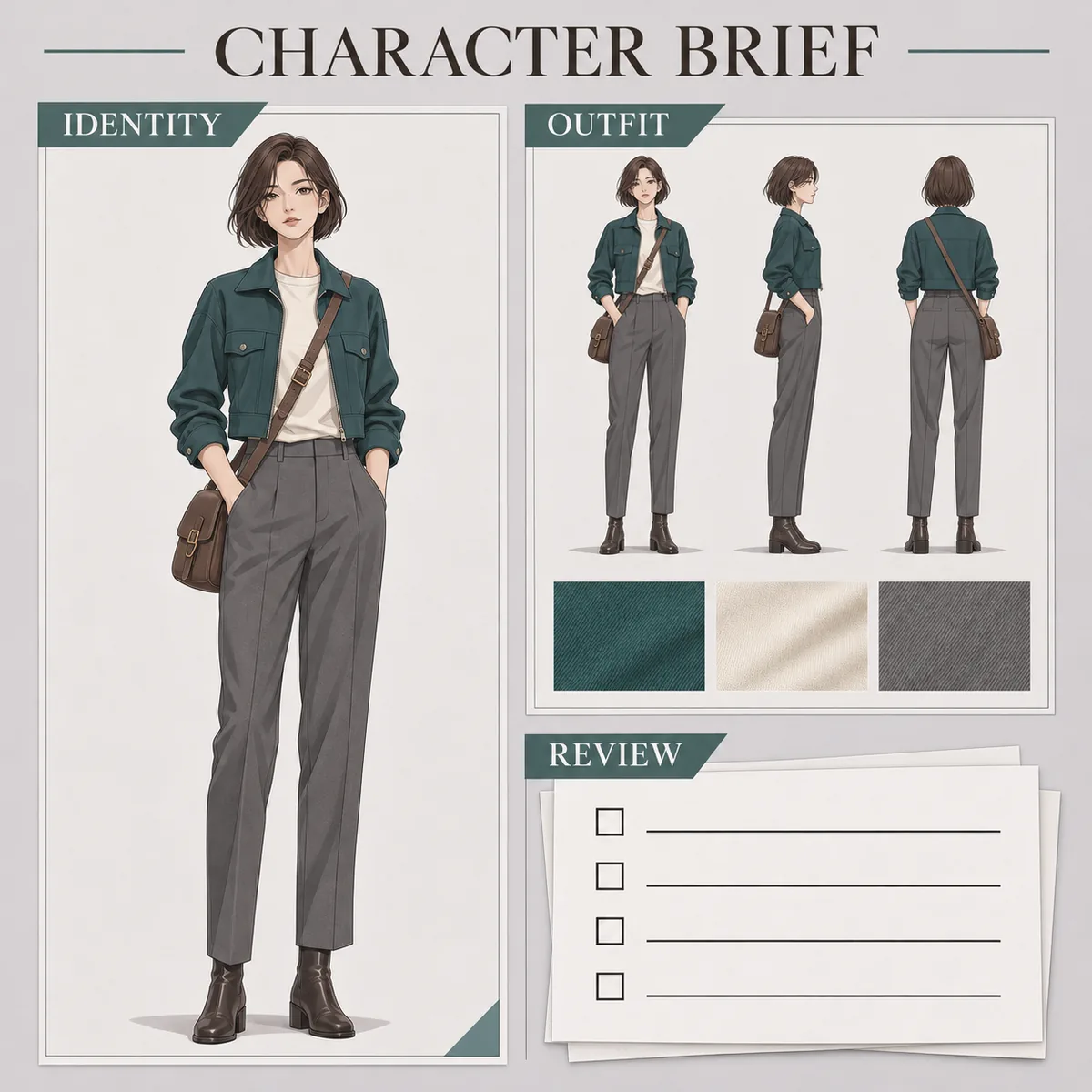
AI-generated organization example. The complete editable fields are in the text and download below; the illustration is not the template itself.
| Section | Question it answers | Example |
|---|---|---|
| Story function | Why is the character in this episode? | Investigator following a missing recording |
| Fixed identity | What visible features should remain? | Brown bob and narrow face |
| Outfit and props | Which version and which anatomical side? | Base outfit v01; strap on left shoulder |
| References | Which files are approved? | Master v01; side view still a draft |
| Shot review | What changed and what needs correction? | Panel 03 turns the head; strap needs repair |
Copyable character brief
Replace brackets with your own decisions. Use “undecided” for a genuine gap rather than inventing an impressive-sounding answer. Resolve any gap that affects the next shot before marking that character version as approved.
1. IDENTITY AND STORY
Character ID: [C01]   Name: [name]   Version: [v01]
Story function: [task in this episode, up to two sentences]
Age and presentation: [adult / age / intended apparent age]
Performance baseline: [visible acting cues, not only abstract traits]

2. FIXED APPEARANCE
Face: [shape, eye spacing, brows and other observable features]
Hair: [color, length, part, fringe and back silhouette]
Proportions: [shoulders, head-body relationship or relative height]
Identity anchors: [up to three features readable in the actual panels]

3. OUTFIT AND PROPS
Current outfit version: [everyday v01 / undercover v01]
Top / trousers / shoes: [color, construction and length]
Props: [anatomical side, attachment and allowed occlusion]
Must stay fixed: [neckline, scar position or similar details]
Allowed variation: [folds, windblown hair, explicit story costume changes]

4. REFERENCE LIST
Master: [filename, version, approval state]
Front / side / back: [file and review state for each view]
Expressions: [emotion, intensity and intended use]
Excluded drafts: [old files that must not be used]

5. PANEL PROMPT
Identity block: [copy approved appearance and outfit wording]
Shot block: [panel ID, framing, direction, action, emotion, setting, light]
Change in this revision: [one main variable]

6. REVIEW AND HANDOFF
Panel / character version / references: [record]
Face / hair / clothing / props / proportions: [pass or correction]
Required fixes: [identity or story problems]
Acceptable variation: [differences that do not break continuity]
Reviewer / date / notes: [avoid unrelated personal information]
Turn a biography into usable image instructions
Translate personality into visible performance
“Clever, resilient, and mysterious” can remain in the story notes. Add an observable response for the current moment, such as a focused gaze, slightly tightened brows, and a closed mouth when a clue is mentioned. This helps collaborators judge whether a panel expresses the intended beat.
Do not turn a personality trait into one permanent expression. An alert investigator can still laugh or become exhausted. The baseline explains tendencies; the shot block describes what happens now. Keeping those layers separate lets acting change while identity remains stable.
Version the outfit without erasing history
Lin Lan's everyday outfit uses the teal jacket. If an undercover scene needs a dark raincoat, create a named outfit variant. Inherit the face, hair, and adult age from the base identity, and explicitly record any prop that is hidden or removed for story reasons.
Do not globally replace the old clothing description across historical notes. Earlier panels still need an explanation for what they show. An outfit version is a production decision that can coexist with another version, not necessarily a correction that invalidates all previous images.
Give each reference a purpose and a status
The master defines identity and base clothing. A profile clarifies the nose, back hair, and collar. An expression reference defines acting intensity. If an image is for line style only, say so rather than inviting the next creator to copy its outfit as well.
Label unfinished references as drafts. Written status is more dependable than a message saying “ignore that one” buried in chat history. Record the file actually used for a panel so a later correction can be traced to its input instead of guessed from memory.
Use the brief in a practical production order
Start with the character design workflow, approve the master, and then add the turnaround and expression references the episode needs. Test a few camera framings before expanding to a full panel sequence.
Folders such as approved, drafts, and panels help, but they do not replace the brief. The document still needs a current version and acceptance criteria. A collaborator should be able to answer “which reference should I use next?” without searching through previous conversations.
Before handoff, compare the text with the approved image. If the brief specifies a crew neck but the image shows a shirt collar, decide which is authoritative and fix the other. A neatly formatted template is only useful when it resolves ambiguity rather than preserving contradictions.
For multiple characters, keep separate IDs and briefs, then create a small shared-shot note for relative height, positions, and costume distinctions. Avoid one long identity paragraph with several ambiguous uses of “she” or “he.” Explicit names and positions make mistakes easier to detect.
Package references so the next creator can open them
A filename in a brief is only useful if the file travels with the project. Put approved references in a shared delivery folder and check the package from a second location before handing it over. Avoid relying on a temporary image URL or a path that exists only on your computer. Keep a small manifest listing each filename, version, purpose, and approval state.
If you also draw in Krita, its official Reference Images Tool documentation explains the difference between embedded and linked reference images. Choose deliberately when packaging that working file. A broken link is a file-management issue; generating another character image will not fix the missing reference. Keep the portable reference package separate from experiments so recipients know which assets are authoritative.
Frequently asked questions
Can I copy and modify this character template?
Yes. Copy the fields into your project and adapt them. The template is organizational text; it does not grant rights to third-party characters or reference images you might add. Check the permissions for those assets separately before using them in a commercial production.
Does a more detailed brief guarantee consistent images?
No. Contradictory, unobservable, or irrelevant details can make a brief harder to maintain. Start with clear identity anchors and constraints, then add information in response to specific failures. Review the outputs rather than treating document length as evidence of consistency.
Is this a role-playing character sheet?
It is a visual production brief, not a statistics or game-rules sheet. You can keep game attributes elsewhere if the project needs them. The fields here prioritize what an image maker needs to preserve identity, clothing, props, and continuity across panels.
What does the download contain?
The Markdown file includes blank fields and a filled Lin Lan example. Open it in a text or Markdown editor, duplicate it per character, and edit locally. No account or upload is required to use the template, and it contains no hidden image-generation settings.
Start with the editable download, then create the master in Character Studio. If later panels drift, use the consistency checklist to record the specific failure before revising the brief.